
Everyday
How to Use a Free Spin Wheel to Make Decisions
How to Use a Free Spin Wheel to Make Decisions: build an honest shortlist, spin once, and move from debate to action - free on WheelLizard, no signup required.
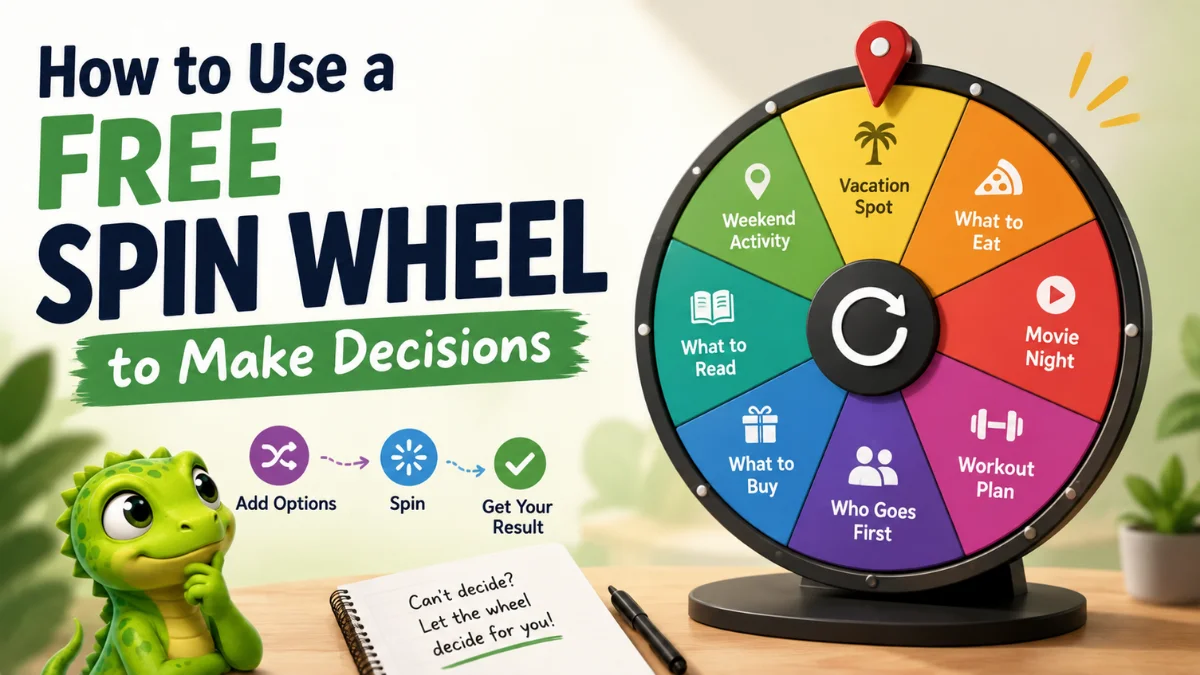
How to Use a Free Spin Wheel to Make Decisions is simpler than most people think — and more useful than flipping a coin when several good options compete. You build a shortlist you already accept, spin once, and move from debate to action. Tools like WheelLizard make that free, browser-based, and reusable without an account.
This guide walks through when a free spin wheel helps, how to set one up in minutes, how to keep results fair, and when to connect multiple wheels for bigger choices. By the end, you will know how to use a free spin wheel to make decisions for meals, plans, classrooms, teams, and everyday forks that usually stall in a group chat.
Why a free spin wheel works for real decisions
Most stalled choices are not information problems. They are momentum problems. Everyone can live with several options; nobody wants to be the person who picks. A free spin wheel removes that freeze without pretending the result is destiny.
People learn how to use a free spin wheel to make decisions when they need to:
- Break a polite “I’m easy / whatever you want” loop
- Share choosing fairly among friends, classmates, or teammates
- Reduce decision fatigue after a long day
- Add play to logistics without removing consent
- Save a reusable shortlist instead of rebuilding it every time
The key rule: only put options on the wheel that you are willing to accept. Randomness is for choosing among good answers — not for forcing a bad one.
Step 1: Pick decisions that fit a spinner
Not every choice belongs on a wheel. Skip high-stakes medical, legal, or financial decisions that need research and professional advice. Use a free spin wheel when the shortlist is already reasonable and the cost of being “wrong” is low.
Strong fits include:
- What to eat for lunch or dinner
- Weekend plans, date nights, or movie nights
- Who goes first in class or at game night
- Which chore, workout, or study block comes next
- Yes / no / later forks when overthinking is the real blocker
If you only need a binary nudge, a simple decision wheel spinner is enough. If the choice has layers — vibe, activity, who decides — use multiple connected wheels.
Step 2: Build an honest shortlist
Learning how to use a free spin wheel to make decisions starts before the spin. Write options while you are calm, not while you are hungry, late, or annoyed. Remove anything blocked by budget, allergies, time, distance, or hard personal no’s.
A clean shortlist usually has:
- Six to twelve options (enough variety, not infinite noise)
- Equal “acceptability” — no fake options you plan to veto
- Clear labels people recognise at a glance
- One re-spin rule agreed in advance
Example re-spin rule: “We re-spin only if the place is closed or someone is unwell.” That keeps the wheel from becoming a negotiation in costume.
Step 3: Create your free spin wheel on WheelLizard
You can start from the homepage playground, browse the templates gallery, or open Create for a blank multi-wheel project.
- Add one wheel for a simple choice, or several wheels for a sequence.
- Enter options one per line — meals, names, tasks, or yes/no prompts.
- Name the project so you can find it later under My Projects.
- Hit Spin (or Spin all for multi-wheel sequences).
- Save the project in your browser — no signup required.
That is the practical core of how to use a free spin wheel to make decisions: shortlist, spin, follow through, reuse.
Step 4: Use one wheel vs multiple wheels
One wheel is best for a single fork: restaurant, name, chore, or yes/no.
Multiple wheels are best when a complete answer needs parts. Examples:
- Cuisine → Cook or order → Who picks the place
- Energy → Weekend activity → Who books
- Subject → Study method → Minutes
- Genre → Snack → Who chooses the title
On WheelLizard, spinning all wheels in sequence gives you a full result in one go — the reason a free multi-wheel beats a single random slice for plans with moving parts.
Step 5: Spin with clear house rules
Fairness is a social contract, not a special effect. Before you spin:
- Show everyone the options
- Confirm the re-spin rule
- Decide who watches the spin (or spin privately for Secret Santa-style draws)
- Commit to acting on the result unless the agreed exception applies
If someone hates a result, the fix is to rebuild the shortlist — not to shame the spinner. An option that is unacceptable should never have been on the wheel.
Everyday examples of how to use a free spin wheel to make decisions
- Solo evenings: Activity → Duration → Screen-free or soft screens
- Couples: Vibe → Plan → Who finalises details (date night ideas)
- Families: Player → Game → Twist (family game night)
- Teams: Icebreaker → Speaker order → Time box
- Classrooms: Student → Activity → Minutes (classroom activities)
- Roommates: Person → Chore → Day (chore wheel)
Write two concrete follow-ups under each option in a note. The wheel chooses the lane; your notes prevent blank-stare improvisation after the spin.
Common mistakes when using a free spin wheel
The biggest mistake is loading options you secretly reject. The second is spinning so late that every practical choice is already gone. The third is unlimited re-spins until the group gets the answer it wanted anyway. Fix those by pruning honestly, spinning earlier, and capping re-spins.
Also avoid oversized wheels. Thirty half-hearted options feel arbitrary. Eight trusted ones feel fair. Quality of the shortlist beats quantity of randomness.
Free spin wheel vs polls, lists, and coin flips
Polls are useful when a shortlist exists and people have strong preferences. Lists are useful for browsing. Coin flips are useful for true binaries. A free spin wheel is stronger when:
- Several options are equally acceptable
- Nobody wants to decide first
- You want a reusable saved shortlist
- You may need a multi-part result, not one yes/no
- You still want human control over what can land
That combination is why so many people search for how to use a free spin wheel to make decisions instead of arguing in another thread.
Privacy, saving, and sharing
WheelLizard keeps projects in your browser storage. Export JSON if you want a backup, and share a link when collaborators need the same setup. For sensitive draws — gift exchanges, private teams — spin privately and message results instead of projecting every name on a big screen.
No account is required to learn how to use a free spin wheel to make decisions on WheelLizard. Open the playground, customise options, and save when the shortlist feels right.
Frequently asked questions
How to Use a Free Spin Wheel to Make Decisions in under five minutes?
List only acceptable options, create a wheel (or a short sequence), agree on one re-spin rule, spin once, and act on the result. Save the project so the next decision is even faster.
Is a free spin wheel fair?
Yes when every option is equally allowed and the re-spin rule is clear. Fairness comes from the shortlist and the social agreement, not from the animation alone.
Do I need an account?
No. Build and spin in your browser, save projects locally, and export if you want a backup.
Can I use more than one wheel for one decision?
Yes. Multi-wheel sequences are ideal when a complete answer needs parts — such as cuisine, method, and who chooses — in one run.
What if we hate the result?
Then that option should not have been on the wheel. Rebuild the list together and keep exceptions limited to true blockers like closures or illness.
Start using a free spin wheel today
You do not need a complicated system to stop losing time to indecision. Learn how to use a free spin wheel to make decisions once: honest shortlist, clear rules, spin, follow through, reuse. Open Create, try a template in the gallery, or spin immediately on the WheelLizard homepage.