
Everyday
Free Spin Wheel for Picking Random Names from a List
Free Spin Wheel for Picking Random Names from a List: paste a roster, spin fairly, and reuse the same list anytime - no account required on WheelLizard.
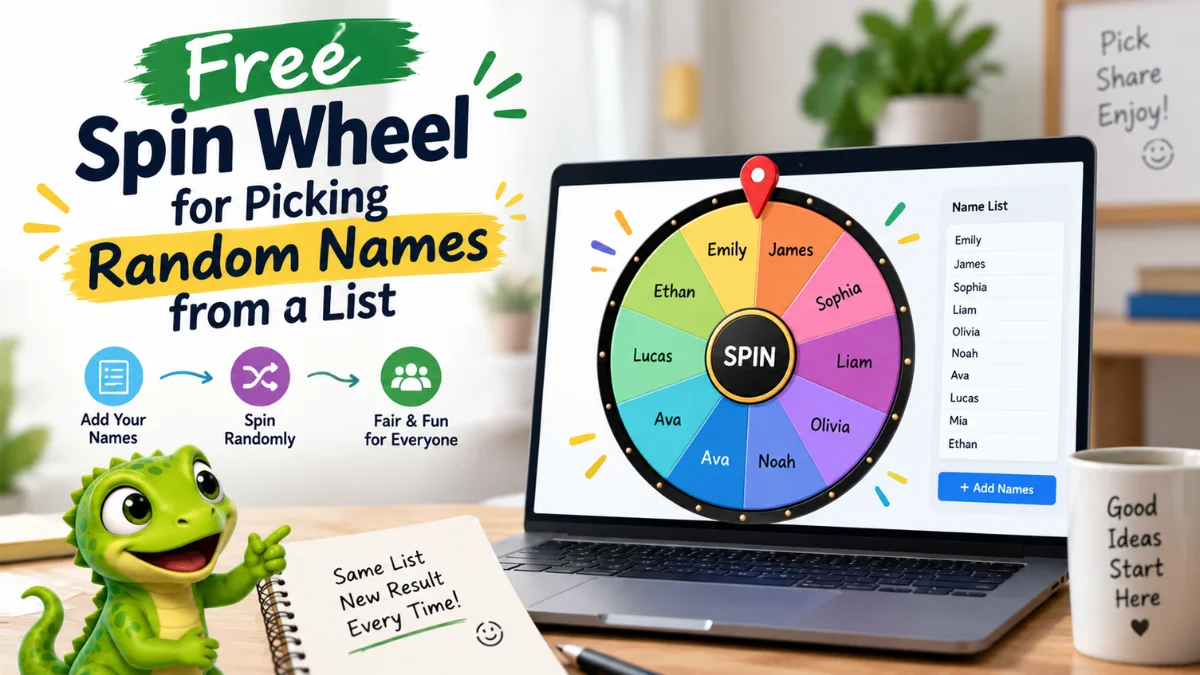
A Free Spin Wheel for Picking Random Names from a List turns a roster into a fair, visible pick in seconds. Paste the names, spin once, and let the group see the same result at the same time - no awkward volunteering, no quiet favorites, no “you choose” standoff.
With WheelLizard, you can build that wheel free in your browser, save it, and reuse the same list whenever turns, callers, or winners need a transparent random pick. This guide shows how to set it up, keep it fair, and upgrade to multi-wheel flows when a name alone is not enough.
Why a free spin wheel beats calling on people by hand
Hand-picking names feels personal, but it often feels biased. The same confident voices get chosen. Quieter people wait. Teachers, hosts, and managers spend energy managing fairness instead of the activity itself.
A Free Spin Wheel for Picking Random Names from a List helps when you need to:
- Choose who answers next in class
- Pick a presenter, reader, or discussion lead
- Decide who goes first in a game or meeting
- Draw a winner from a shortlist of people
- Rotate helpers, chores, or speaking turns fairly
The wheel does not replace judgment for sensitive situations. It removes the freeze when every name on the list is already an acceptable pick.
How to build a Free Spin Wheel for Picking Random Names from a List
You can start on the homepage playground, open Create, or adapt the Student Picker style template in the templates gallery.
- Create one wheel named Names, Roster, or Class List.
- Paste names one per line - for example Ethan, Emily, James, Sophia, Liam, Olivia, Noah, Ava, Lucas.
- Remove duplicates and nicknames that would confuse the group.
- Spin once so everyone can see the result.
- Save the project under My Projects for next time.
No account is required. That is the practical meaning of a Free Spin Wheel for Picking Random Names from a List on WheelLizard: build it, spin it, reuse it.
Keep the name list clean and fair
Fairness comes from the list, not only from the animation. Before you spin:
- Use the names people expect to hear
- Include everyone who should be eligible
- Exclude people who are absent or opted out
- Update the list when someone joins or leaves
- Agree whether repeats are allowed in the same session
If repeats should wait, remove a name after it lands or keep a quick “already picked” note beside the project. The same list can still give a new result every spin when the full roster remains eligible.
One wheel vs multi-wheel name picking
A single name wheel is perfect for “who is next?” Multi-wheel setups help when the pick needs context:
- Name -> Question number
- Name -> Subject -> Prompt
- Name -> Role (reader, scribe, timer)
- Name -> Team -> Speaking order
On WheelLizard, Spin all runs the sequence automatically so you get a full result in one go. That is useful for classrooms and workshops where a lone name still leaves the task undecided.
For deeper classroom flows, see random name picker wheel for fair turns and classroom activity spinner ideas. For general decision setups, read How to Use a Free Spin Wheel to Make Decisions.
Best uses for a free random name spin wheel
- Classrooms: cold-call fairly, pick readers, choose board helpers
- Meetings: choose who shares an update first
- Workshops: select volunteers without pressure
- Parties and games: pick who starts, who hosts, who draws next
- Giveaways: draw a name from an eligible entrant list
- Family routines: rotate who chooses the movie or sets the table
In each case, show the list before you spin. Transparency is what makes a Free Spin Wheel for Picking Random Names from a List feel fun instead of sneaky.
Add names fast, then spin
The fastest workflow is:
- Add your names (paste from a roster or type one per line).
- Spin randomly in front of the group.
- Celebrate a fair result and move on.
That three-step loop matches how people actually use a free name spinner: less admin, more activity. If you need to customize colors, themes, or multi-wheel structure, see How to Customize Your Own Spin Wheel for Free.
Sound, display, and group settings
Small settings change the room energy:
- Sound on for lively classes and parties
- Sound off for quiet libraries or focused meetings
- Confetti on for prize moments
- Confetti off for routine turn-taking
- Large display or projector so the whole room can watch the wheel
When everyone sees the spin, disputes drop. The list was visible. The result was shared. The next step can begin.
Common mistakes with random name wheels
The biggest mistake is leaving absent people on the wheel. The second is using nicknames half the room does not recognize. The third is re-spinning until a preferred name appears. Fix those by updating attendance first, using clear display names, and capping re-spins unless there is a real conflict.
Also avoid a list so long that labels become unreadable. For large groups, split into teams or tables, then spin within a smaller eligible set.
Free spin wheel vs paper slips, apps, and spreadsheets
Paper slips work until they get lost. Spreadsheet randomisers work, but they are hard to show live. Dedicated apps may require accounts. A Free Spin Wheel for Picking Random Names from a List is stronger when you want:
- A visible spin the whole room can watch
- A reusable saved roster
- Optional multi-wheel context around the name
- No signup friction
- Control over who is eligible each time
Sample classroom and meeting flows
Suppose your list includes Emily, James, Sophia, Liam, Olivia, Noah, Ava, Lucas, Mia, and Ethan. Spin once to pick who answers question three. Or run Name -> Role and land on Sophia as scribe while another spin later chooses the next speaker. In a standup, spin once for who shares first, then continue clockwise so the wheel only breaks the opening freeze.
Write a one-line follow-up under your project notes: “Remove name after pick until everyone has gone.” That keeps fairness across a full period, not only a single spin.
Frequently asked questions
What is a Free Spin Wheel for Picking Random Names from a List?
It is an online spinner that randomly selects a person from names you provide. On WheelLizard, you paste the list, spin, and can save the project to reuse later - free and without an account.
Is a name spin wheel fair?
Yes when every eligible name is on the wheel and the re-spin rule is clear. Fairness comes from the shortlist and the shared process, not from the animation alone.
Do I need an account?
No. Build the wheel in your browser, save it locally, and export JSON if you want a backup.
Can I use the same list every day?
Yes. Save the project, update absences, and spin whenever you need a random name. The same list can produce a new result every time.
What if someone was already called?
Remove them temporarily, keep a “already picked” note, or allow repeats if your activity needs that. Decide the rule before you spin.
Start your free random name spin wheel today
You do not need a complicated roster system to pick names fairly. Set up a Free Spin Wheel for Picking Random Names from a List once, keep the roster honest, and spin in front of the group. Open Create, try a starting point in the templates gallery, or use the homepage playground and save your project when the list looks right.